Related Articles
Building Collection Trees
Collection trees create a logical and easy-to-navigate structure for your content. A Collection Tree starts with a top-level container (either a Collection or Library Organizer) and then is made up of sub-Collections that contain assets. By default ...
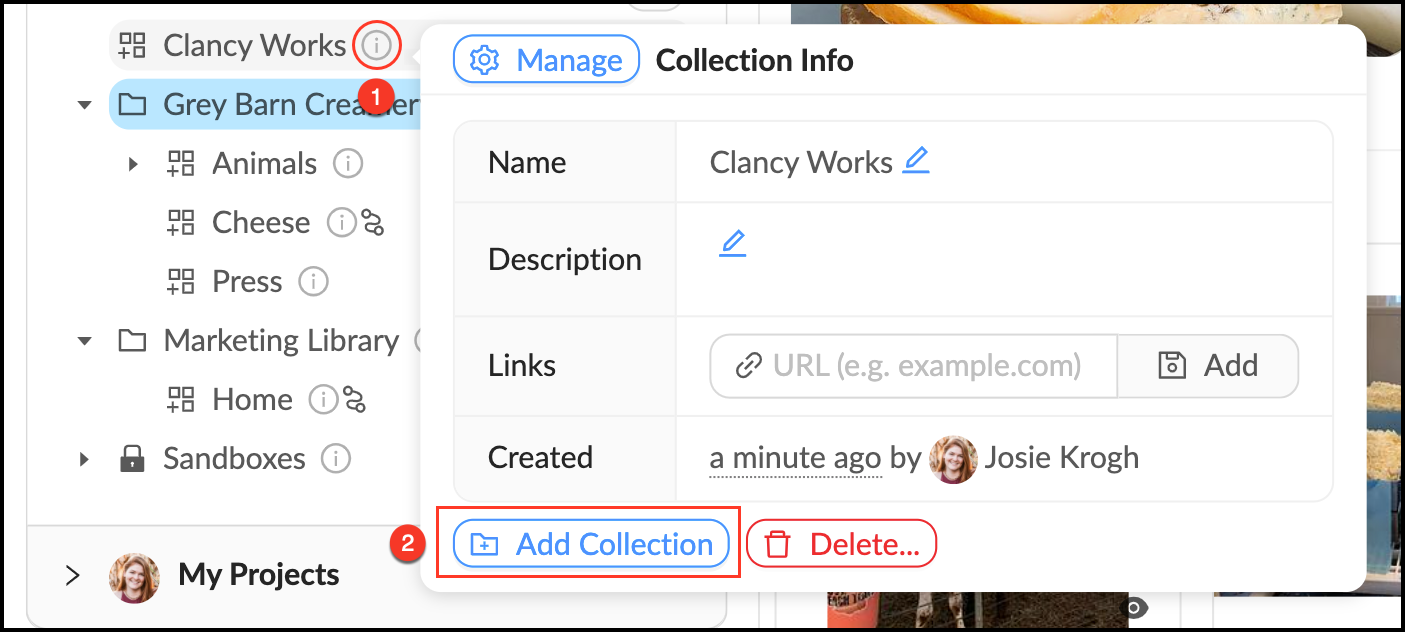
Create a Collection
Collections are the primary way to make assets available to account members. Collections provide a natural way to navigate through a set of files, much like folders on your computer. To create a Collection follow the instructions below. A file can be ...
Create a Library Organizer
Libraries are created by the account staff to give members a way to browse and discover the content in the account. Library Organizers are for grouping collections together to further categorize top-level view. Library Organizers do not contain ...
Create a Group
Who can use this feature? Admins, Content Managers and Library Managers Available on all plans Groups are the heart of permission control in Mediagraph. They connect members to assets through permissions that are applied to Collections. Groups can ...
Create a Workflow
Workflows are created to automatically forward files from a source container to a destination container. All member roles can create and use Workflows. They are especially helpful for forwarding assets to a container with a different audience, or in ...