What Collections does an Asset Belong To?
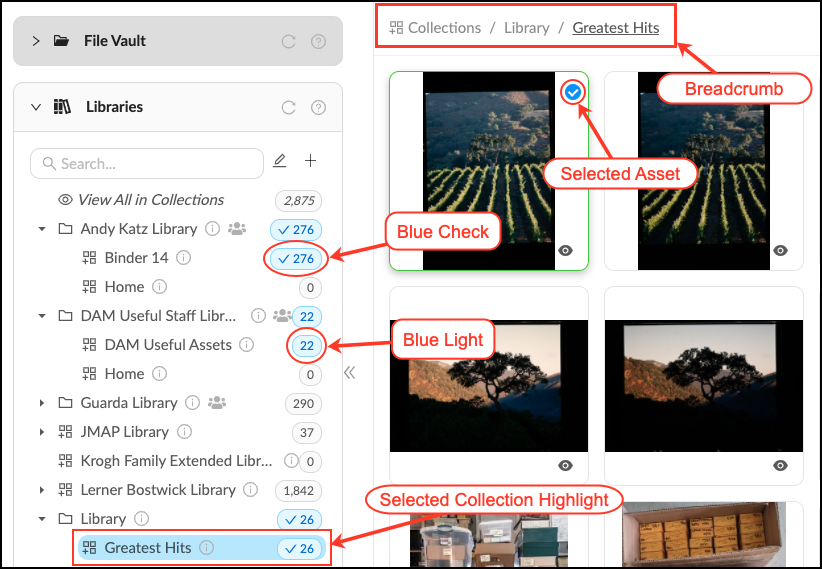
Assets can be included in more than one Collection. You can see all Collections a set of assets belong to using the “blue light” indicator in the Collections panel. You can also see what collections a selected asset belongs to by observing the check mark in the Collection panel.
- The clickable Breadcrumb at the top of the workspace and the Collection highlight show which Collection is being displayed in the Workspace.
- The Blue Light indicates that one or more assets in the workspace belong to a collection.
- The Blue Check indicates that one or more selected assets belong to a Collection.
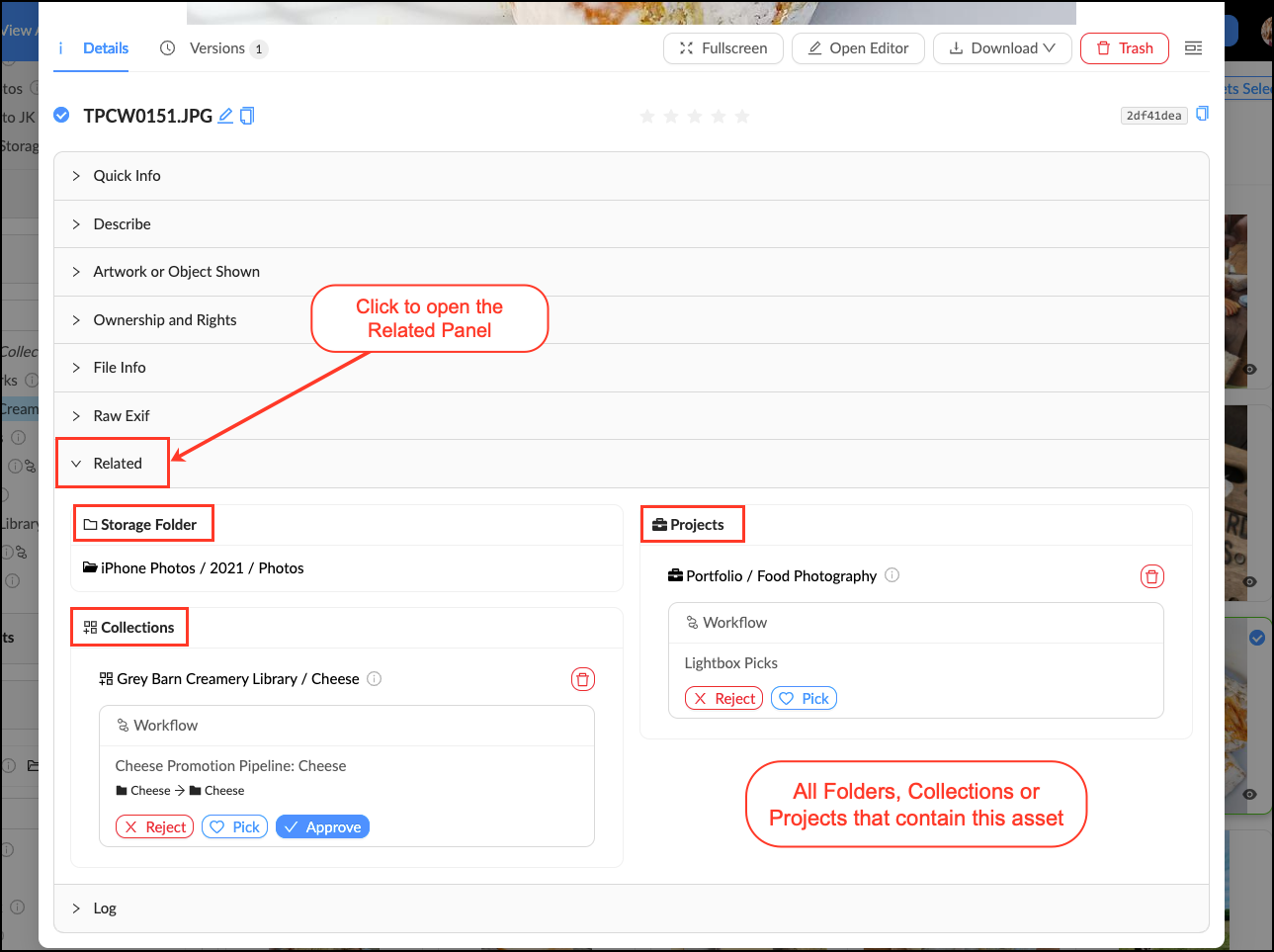
You can also find out what containers an asset is in by double clicking on an asset to open the "asset view". The "Related" panel lists all Folders, Collections, Projects and Workflows an asset is a part of.
Related Articles
How to Manage the Groups of Asset/Collection Properties
3 years ago Updated Follow Not yet followed by anyone One of the ways to handle the properties of assets or collections is to organise them in groups. Attention: one property can only be part of a single group. If a property does not belong to any ...
Creating Collections
2 years ago Updated Follow Not yet followed by anyone To create a collection: Select one or more assets in the asset feed. Open the left sidebar and click on "Create collection". Type the name of the collection and press Enter. You can create several ...
Deleting Collections
2 years ago Updated Follow Not yet followed by anyone To delete a collection, do the following: Select one or more collections from the collection feed. At the bottom of the screen, you will see the bulk actions panel. Press Delete. Once a collection ...
Asset Properties
Asset properties are a set of metadata, information about a file. This information includes file's title, description, tags, creator's contact information, date created, copyright, usage rights, geolocation and others. They can be used for the ...
Sorting Assets and Collections
4 years ago Updated Follow Not yet followed by anyone How assets/collections are sorted affects the order in which they are displayed in the feed. The sorting method is selected using the Sort switch under the search bar. Both assets and collections ...