Remove a tag suggester from a Group contribution request
Tag suggesters are a list of tags group members choose from when uploading files. If you decide you would like to remove a tag suggester from a Group upload request, follow the steps below.
Note: Removing a tag suggester will not remove the tags from assets.
Remove a Tag Suggester from a Group Upload Request
- Go to Manage > Groups and click Edit next to the desired Group.
- Click the tab Add Contributors.
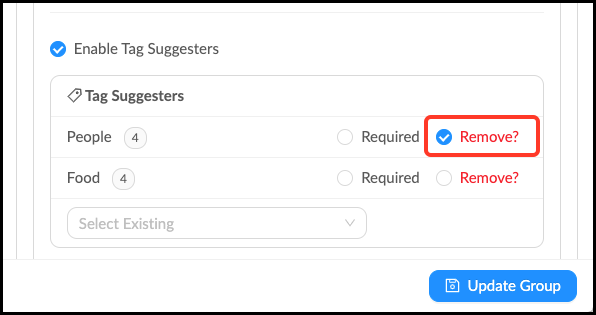
- Under the list of Tag Suggesters, locate the Tag Suggester you would like to remove.
- Check the box next to Remove?
- Click Update Group to save changes.