Create a Group contribution request
Group contribution requests allow general members to upload assets to the file vault into a designated Group storage folder.
To get the most out of Group uploads, we strongly recommend selecting the quick setup option “Full-feature settings with Uploads” when you first create a new Group.
Create a contribution request for an existing Group
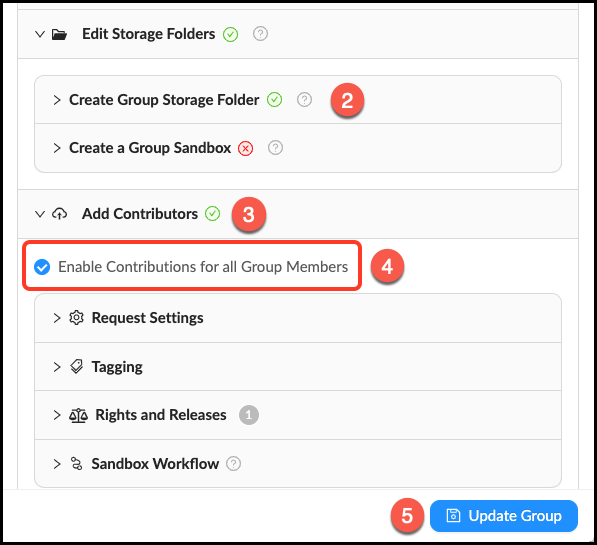
- Go to Manage > Groups and click Edit next to the desired Group.
- Very important: Make sure that you have created a Group Storage Folder. This is where member uploads will be routed.
- Click the accordion labeled Add Contributors.
- Click the checkbox next to “Enable Contributions for all Group Members”. You do not need to change any other settings unless you want to make your upload request more robust (keep reading to learn how you can customize your upload request).
- Click Update Group to save changes.
Customizing a Group contribution request
Learn more about the different ways you can customize a Group contribution request.
Request Settings
Add some information to tell members what you want them to upload.
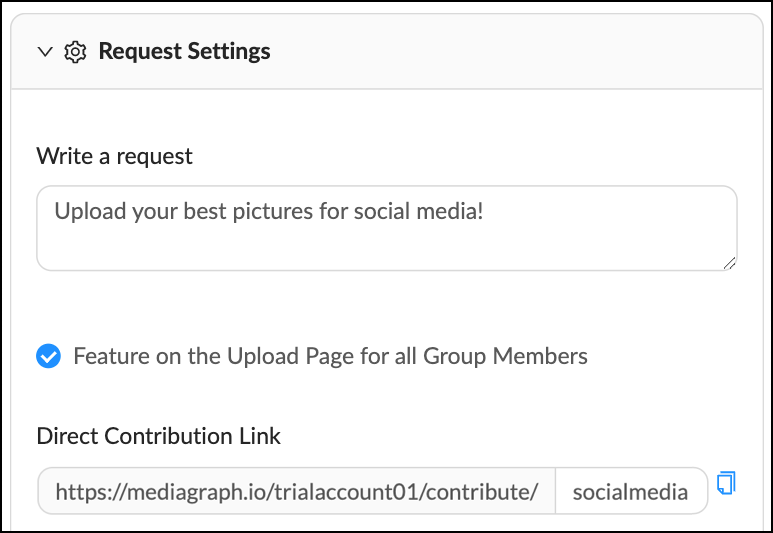
Check the box to feature the request on the Upload Page.
Create a direct contribution link to send to members
Tagging
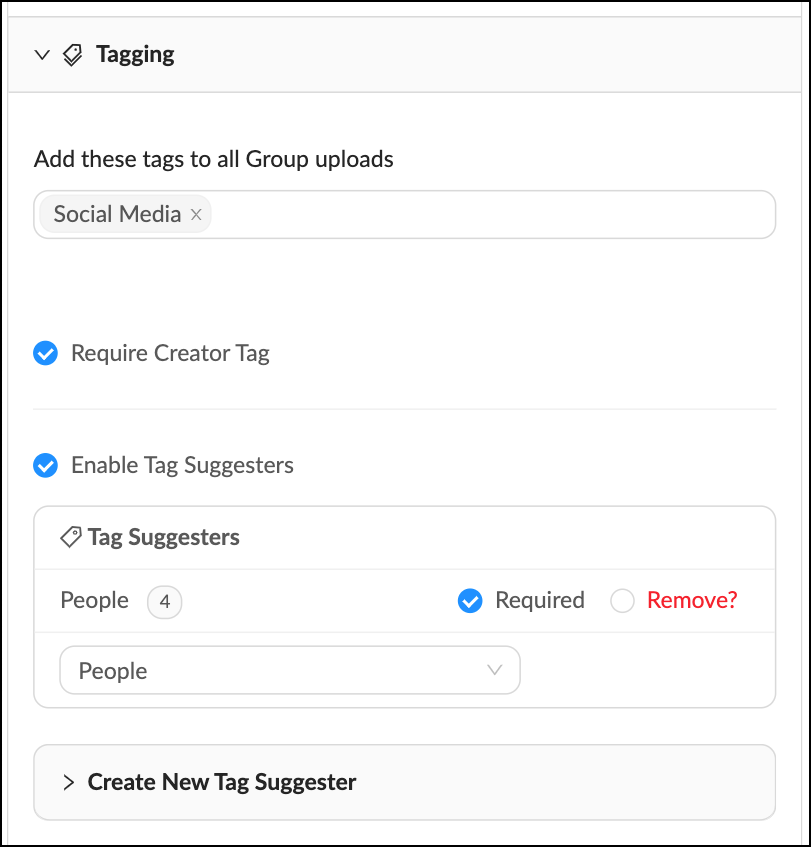
There are several different options for tagging Group uploads.
Automatic Tags
Automatic tags will be applied to all Group member uploads. Enter automatic tags in the field under "Add these tags to all Group uploads". Users will not see an option to apply these tags, it will happen automatically.
Creator Tags
Check the box "Require Creator Tag" to require members to apply a creator tag upon upload. Users will not be able to upload files until they tag a creator.
Tag Suggesters
Tag Suggesters keep tagging consistent for member uploads. A Tag Suggester is a cluster of related tags (ex. Animals: Cow, Pig, Chicken, Dog, Cat) that you want to be easily accessible to users upon upload. Follow these steps to use tag suggesters:
Check the box "Enable Tag Suggesters".
Use the dropdown menu "Select Existing" to select from existing Tag Suggesters.
Or create a new Tag Suggester in Group management: Click the tab "Create New Tag Suggester". Give it a name and add the tags. Click + Create and Add.
Check the box "Required" if you want to require users to select at least one tag from the Tag Suggester.
Rights and Releases
Create a list of Rights Packages for members to choose from.
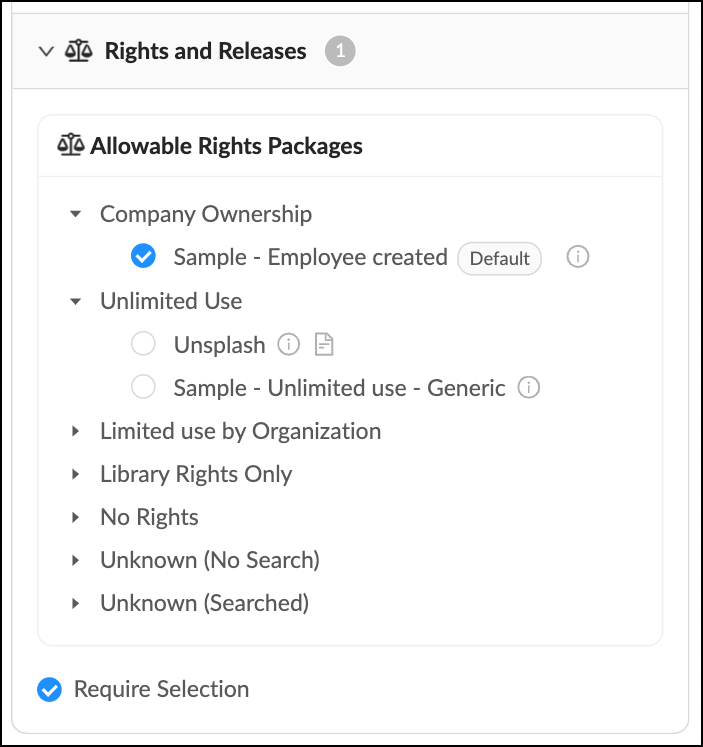
Check the box if you would like to require members to select a Rights Package.
Sandbox Workflow
All Group member uploads are automatically routed to the Group storage folder. You have the option to send Group uploads to a Group Sandbox where assets can be sorted and tagged by Library Managers and Taggers.
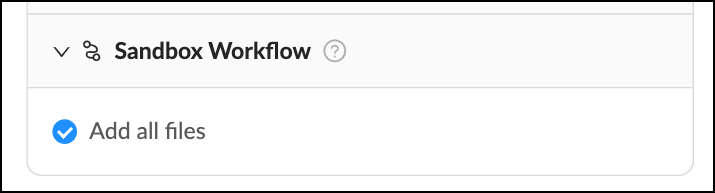
Check the box to automatically add all files to the Group Sandbox.